jake-mini
control plane- M4 Mac mini, headless
- 24 GB RAM · 20 GiB to the k3s server VM
- macOS keeps ~4 GiB and stays out of the way
The Homelab
It deploys from git. It pages me when it breaks. It serves real traffic from my house. Everything else I build is virtual — I wanted to run real cables. So I did.
3
M4 Mac mini k3s nodes
8
apps in production
100%
deployed from git (Flux CD)
500/500
Mbps, symmetric, to the street
Every request to an app on this page travels the same road: Starry’s fixed-wireless link to the roof, the UniFi gateway, a Traefik ingress, a pod on one of the minis. The part you can’t see is the second network riding on top — a Tailscale mesh that every Mac and VM joins, so cluster traffic moves on encrypted WireGuard paths no matter which physical box a pod lands on.
500 Mbps symmetric. The upload matters more than the download when your house is the origin server.
Hands out the LAN, forwards exactly the ports the front door needs, and nothing else.
Every Mac and VM is a node. Cluster traffic rides WireGuard, and the VMs hold real LAN IPs so peers connect directly — no DERP relay.
Public names and TLS renew themselves. I haven’t thought about a certificate in months.
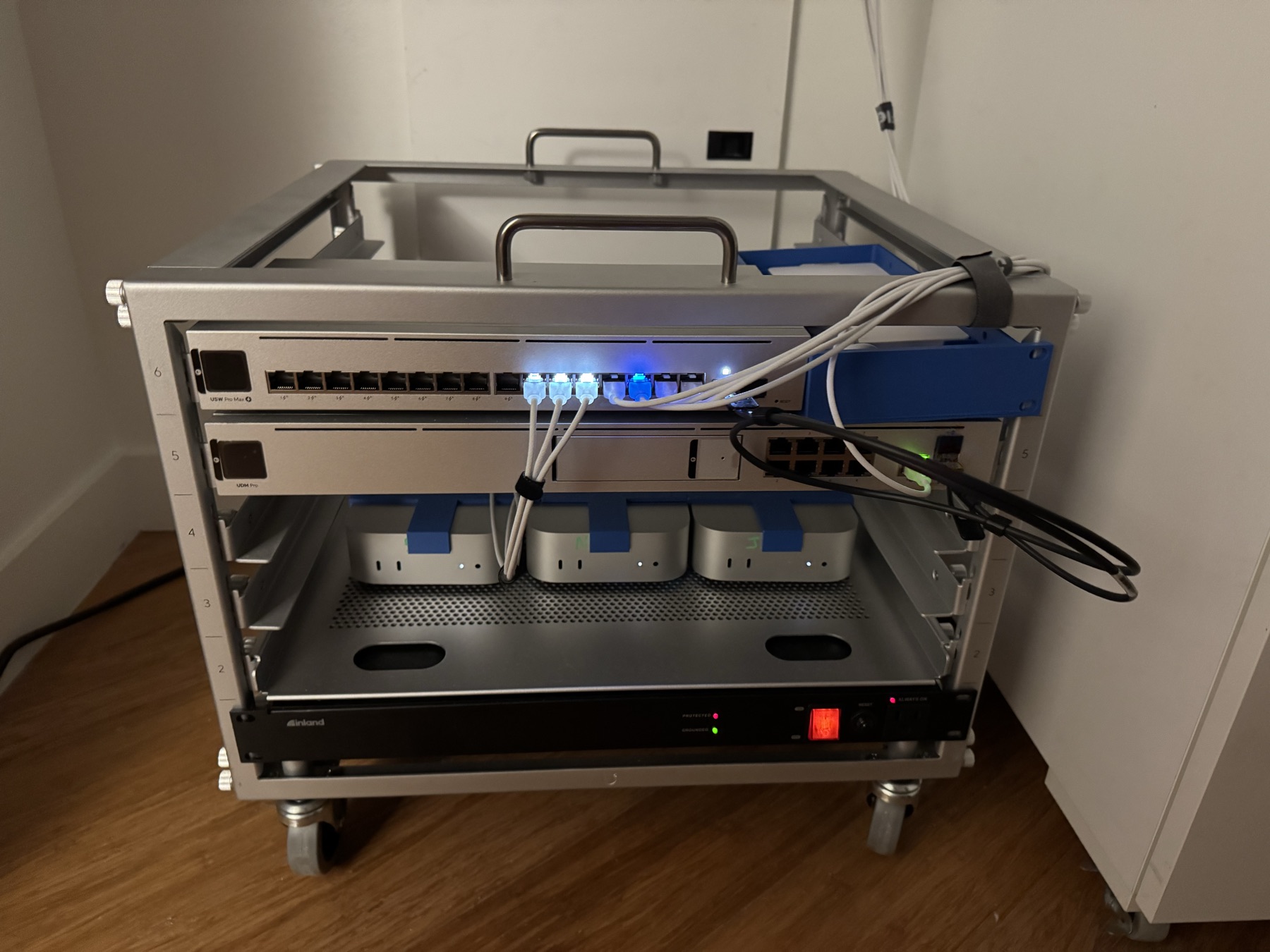
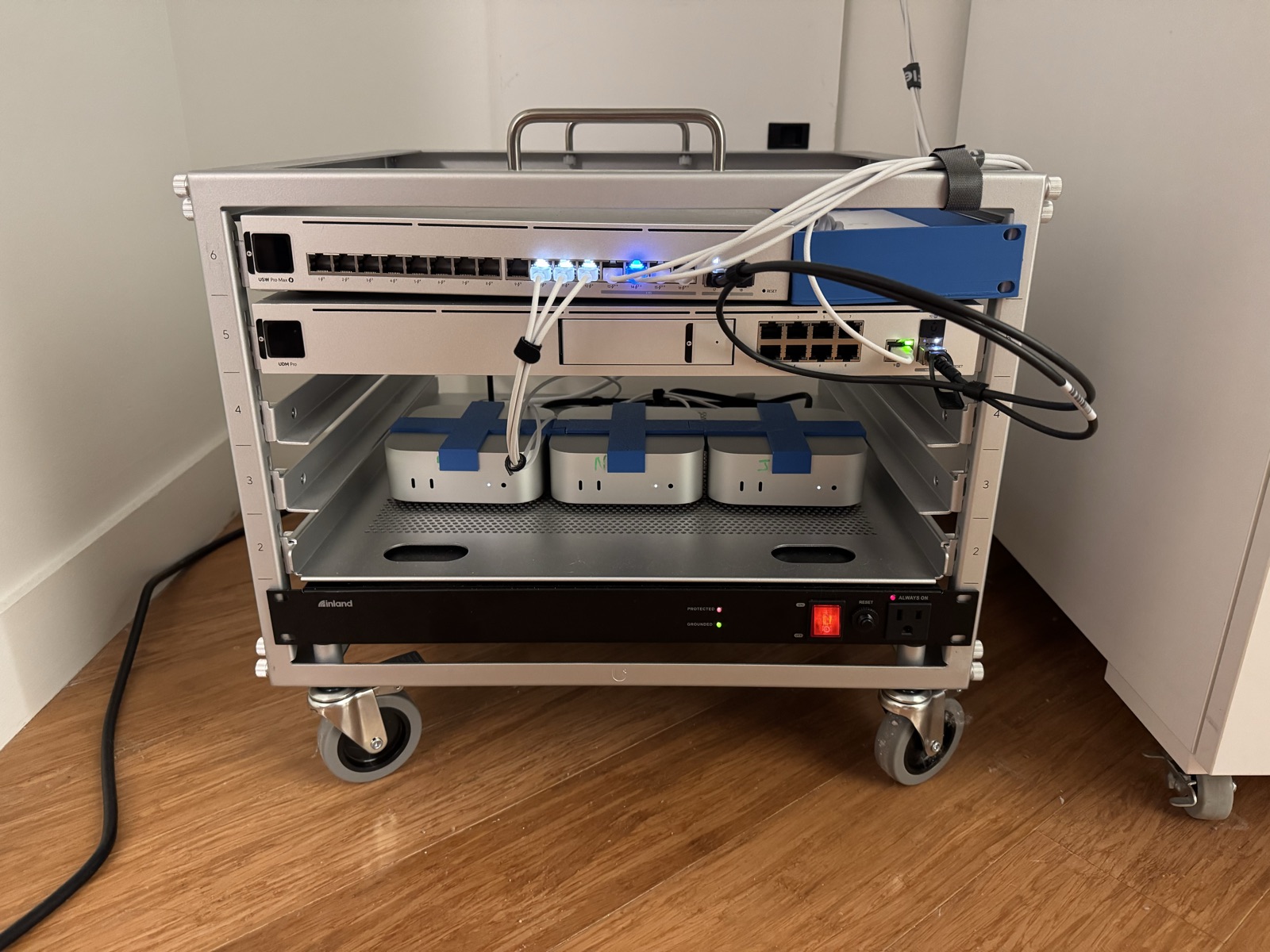
Three M4 Mac minis. They were AI agent workstations before they were cluster nodes, and Apple Silicon’s performance-per-watt means the whole rack is silent and barely registers on the power bill.
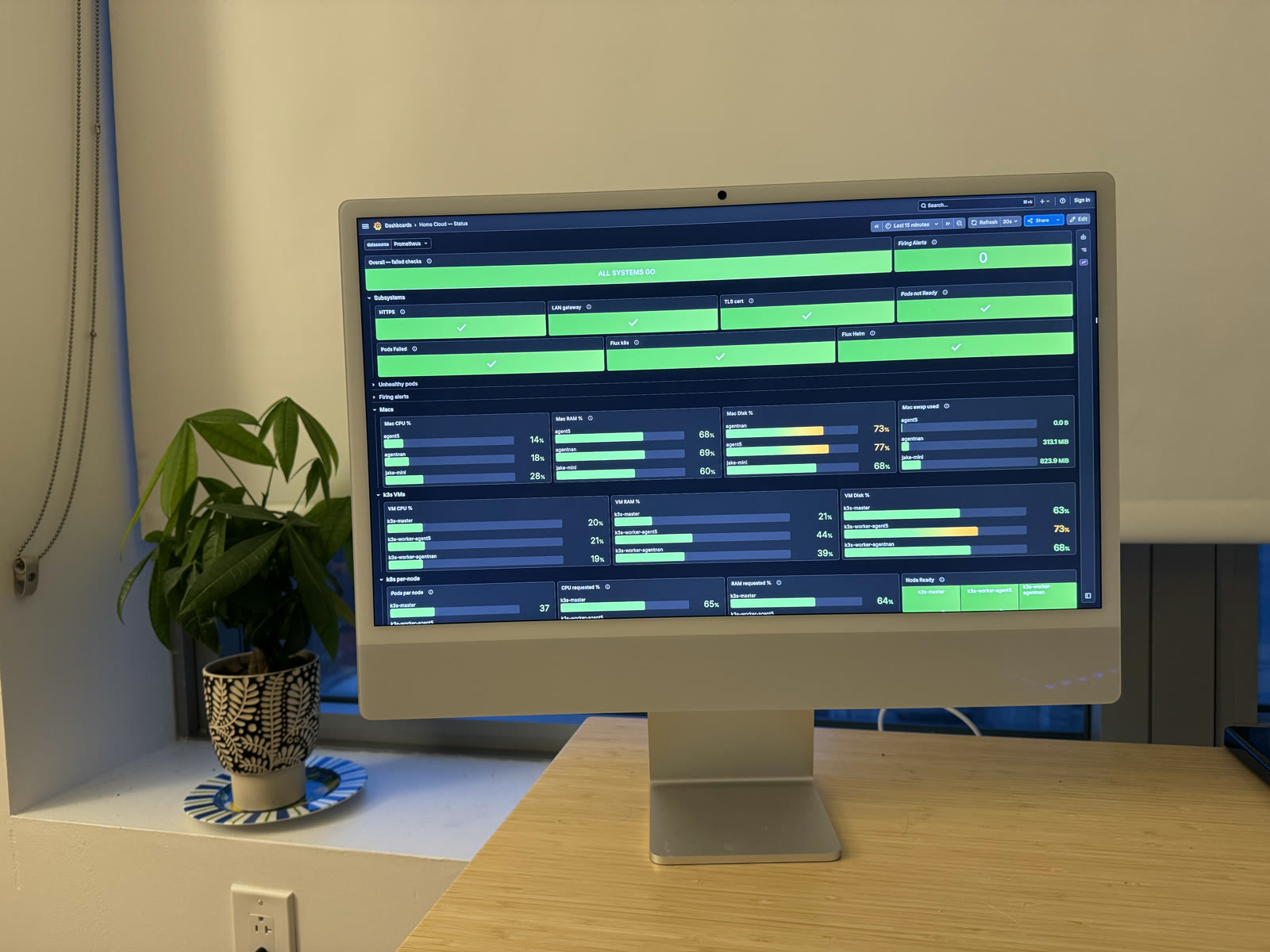
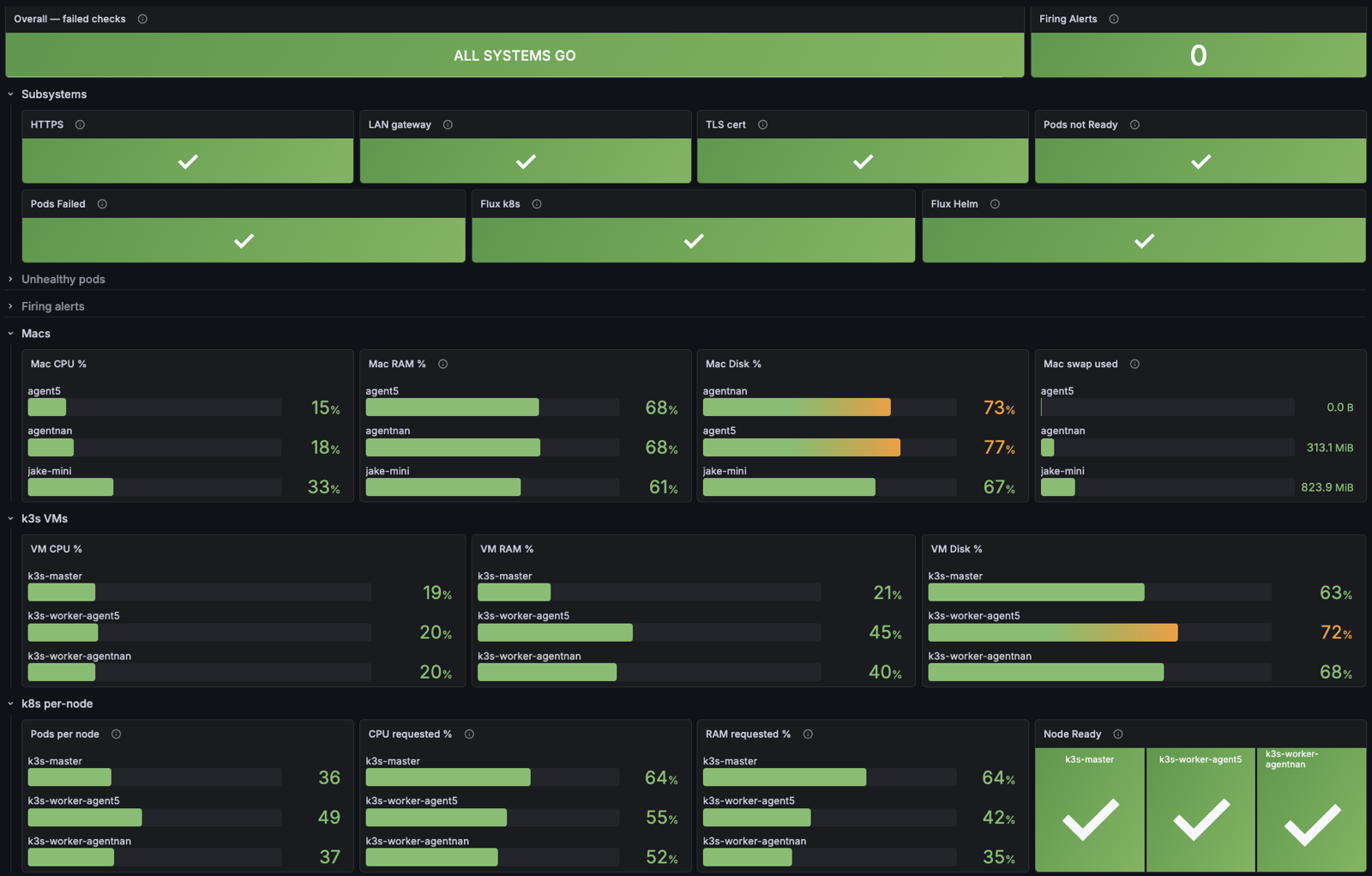
An Apple Silicon iMac runs as a dedicated kiosk: always on, always showing Grafana. It’s provisioned by the same Ansible as the fleet — hardening and a node_exporter, nothing else — and it is deliberately not a cluster node. Its only job is to make the cluster’s health ambient.
You notice problems differently when the dashboard is furniture. A pod stuck in CrashLoopBackOff isn’t an email you read tomorrow; it’s a red panel you walk past on the way to the kitchen.
This is a platform, not a pile of containers. Git is the source of truth: Flux reconciles every manifest in the repo, secrets live encrypted next to the code they configure, and nothing gets kubectl apply’d by hand. If the rack burned down, the cluster is an Ansible run and a Flux bootstrap away from existing again.
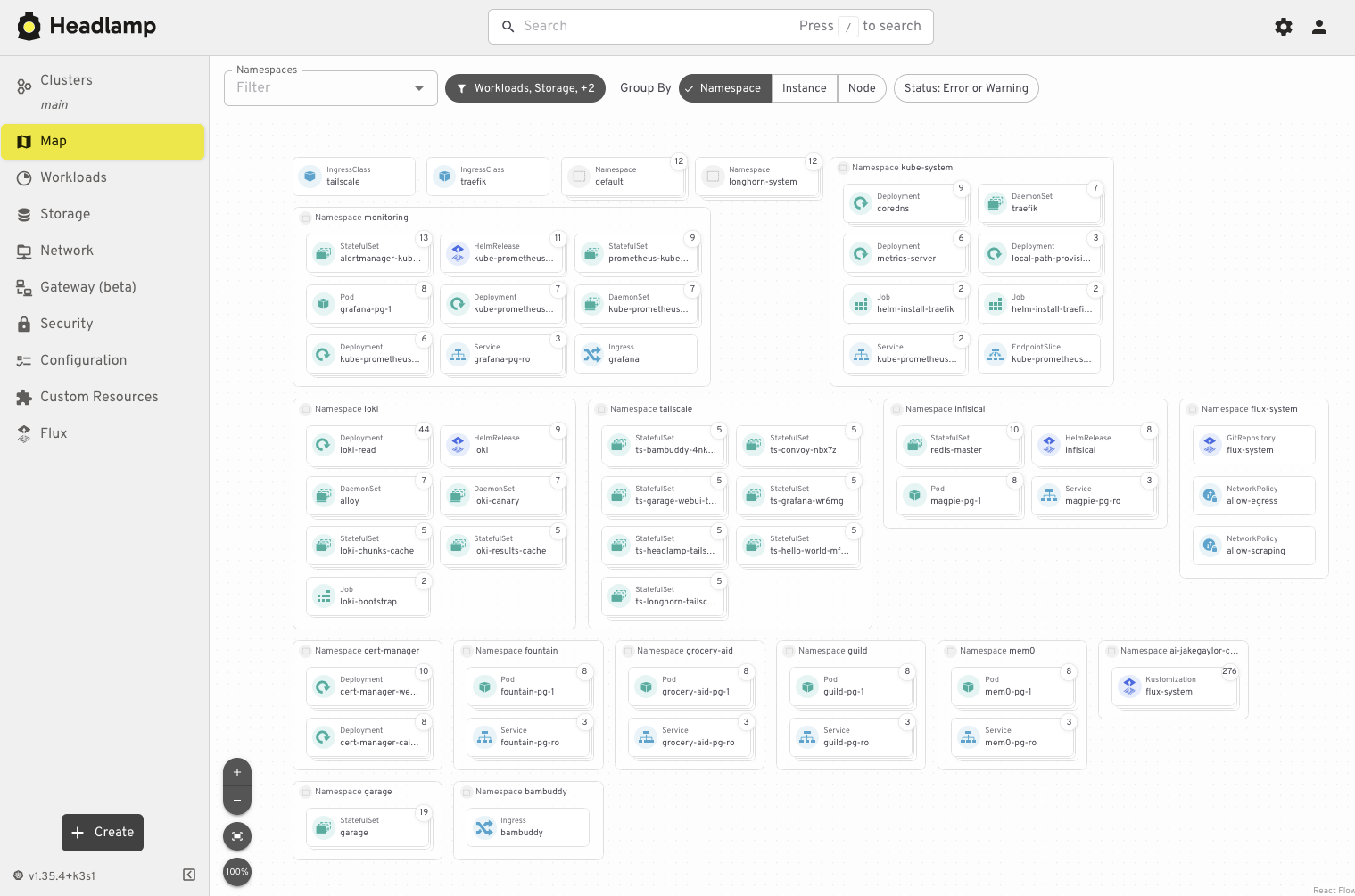
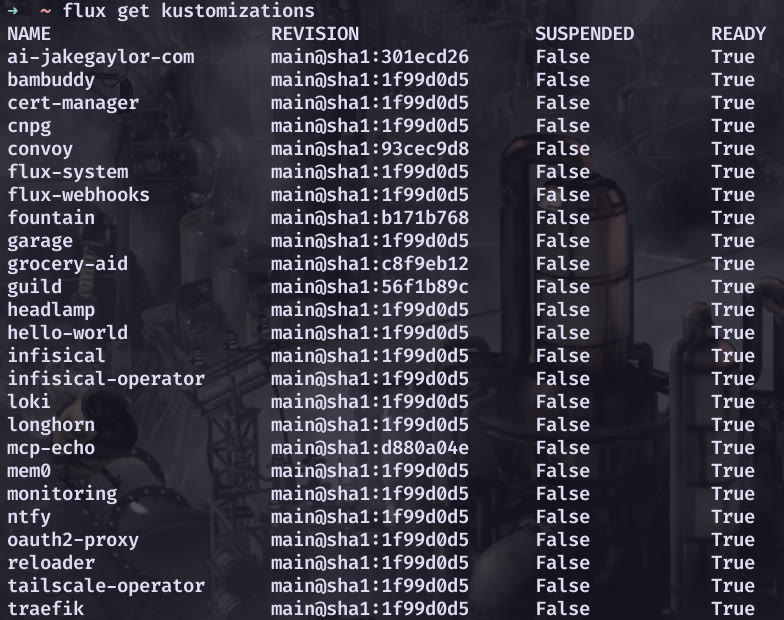
flux get kustomizations — everything Ready, nothing suspended.The lab isn’t an aquarium. Everything below serves real users — some of them human, some of them AI agents, one of them a 3D printer.
The live MCP server that teaches AI assistants about me — resume, fit-scoring, even emailing me from the conversation. Served from this rack. More on the projects page.
The open-source server behind Managoat, my hosted platform for running fleets of sandboxed coding agents. The agents that build Fountain run on the cluster Fountain is deployed to.
A free, open service for shareable checklists — every list a UUID, the link the only key. A JSON REST API and a built-in MCP server let any assistant create and drive lists. Built agent-first, runs here. More on the projects page.
Work management that connects ticketed work to agent runners — tickets go in, agents pick them up.
A real-time strategy game you play by writing code.
Manages the Bambu Lab 3D printer. Yes, the cluster runs the printer. Yes, the printer printed parts of the cluster’s rack. More below.
Shopping and meal planning for our household. The least glamorous app here, and the one with the most demanding stakeholder.
A public MCP server that helps MCP creators debug what their clients are actually sending.
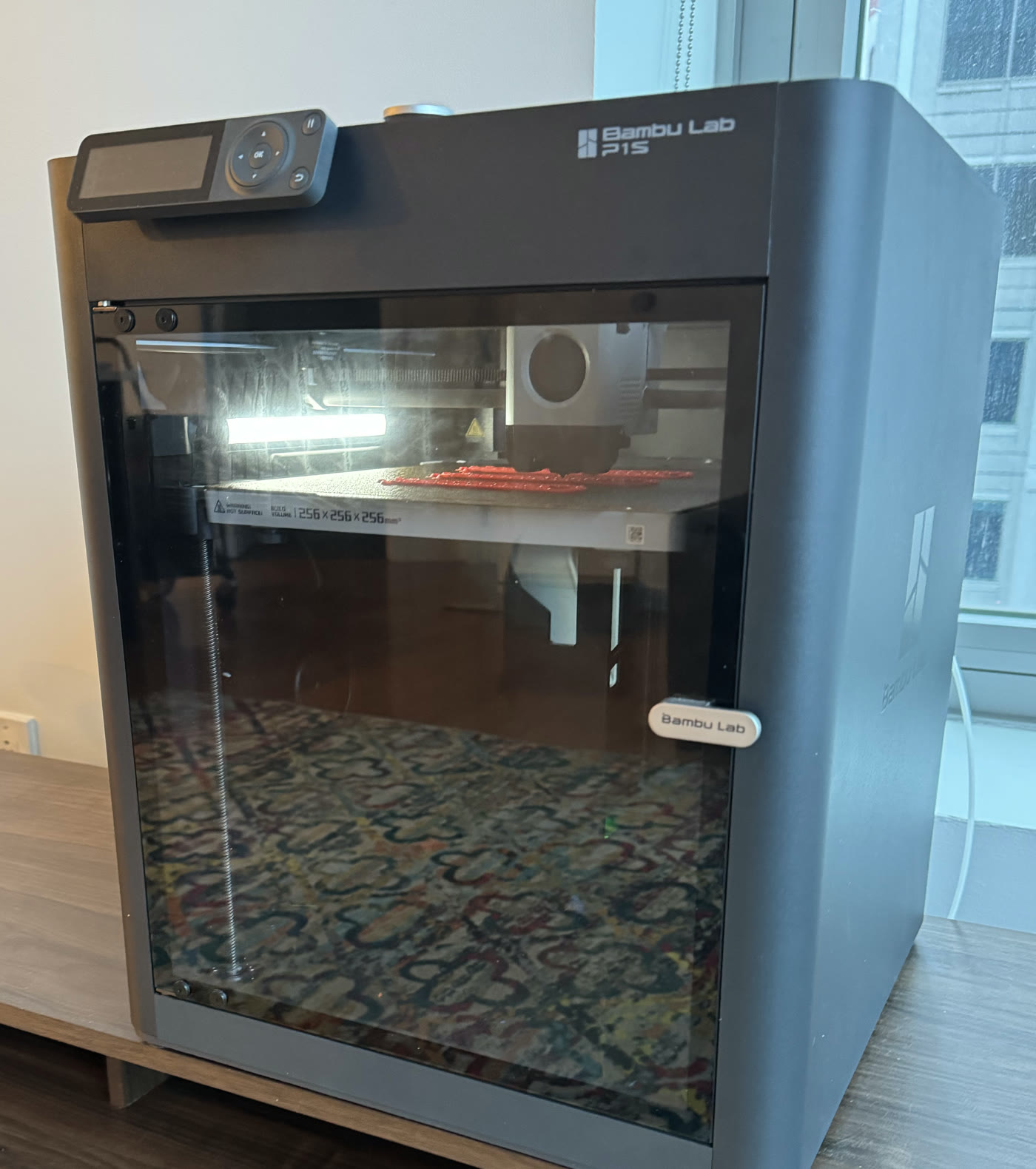
Bambuddy runs in the cluster and drives the Bambu Lab printer. The printer, in turn, has printed hardware for the cluster: the power holder for the UniFi switch and the alignment racks the Mac minis sit in.
Which means the rack is partially self-hosting in a way software never gets to be — the infrastructure manufactured some of its own mounting hardware.
The choices that weren’t obvious, and the one that cost a debugging session.
Because they were already here. These machines started life as workstations for my AI agent fleet, and Apple Silicon turned out to be a genuinely good cluster substrate: an M4 mini idles in single-digit watts, makes no noise, and fits three-wide on a shelf. If I were buying hardware from scratch for a cluster, I’d buy Linux boxes — but I wasn’t, and repurposing beats purchasing.
Because I couldn’t. Bare-metal Linux doesn’t support M4 Macs — if it did, these would be Linux boxes. So k3s gets the next best thing: one Linux VM per mini. I started on OrbStack and switched to Lima after hitting a networking issue I couldn’t work around. Lima with socket_vmnet gives each VM a bridged interface with a real LAN IP from the UniFi gateway’s DHCP, which turns out to be the detail everything else depends on.
Because each answers a different question. Longhorn replicates block volumes across the minis, so any single Mac can die without taking data with it. Garage gives apps the standard S3 API while the bytes stay on hardware I own. CloudNativePG turns Postgres into manifests — provisioning, backups, failover — instead of a hand-fed database somewhere. The common thread: no workload gets to care which physical box it landed on.
Tailscale makes everything reachable, which is exactly why it can hide a problem: when peers can’t connect directly, traffic silently falls back to relaying through Tailscale’s DERP servers. With the VMs behind Lima’s userspace NAT, that’s what happened — cluster traffic between two machines sitting a foot apart was round-tripping through a relay on the public internet. Everything worked, just worse than it should have. The fix is the socket_vmnet setup above: give the VMs real LAN addresses and WireGuard forms direct paths across the shelf. The lesson stuck — “it works” and “it works the way you think it does” are different claims, and only the second one survives load.
Nothing on this page was required. I run it this way because git-driven deploys, real monitoring, and encrypted secrets are habits — and habits come with the hire.